AI golf instruction is becoming one of the newest ways golfers can use artificial intelligence to improve their game. AI can already write an email, plan a vacation, answer questions, analyze photographs—and now it can even analyze your golf swing.
But can it actually help you play better golf?
That was the question I wanted to answer—so I decided to put AI golf instruction to a real-world test using my own golf swing.
12 minutes read time
Sponsored Links
I’m a senior golfer who has played this game for more than 50 years. I’ve taken lessons, worked with golf professionals, tried countless swing thoughts and probably made just about every swing mistake possible along the way.
So instead of simply writing another article about AI, I decided to become the test subject.
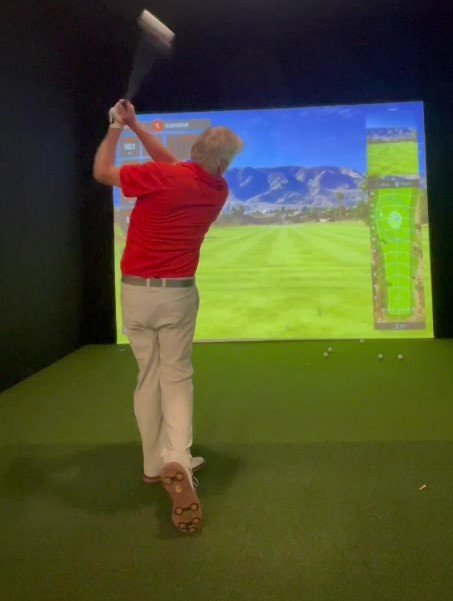
I recorded my own golf swing, gave AI videos and individual swing frames to review, and started asking questions just as I would during a lesson with a golf professional.
What happened surprised me.
AI didn’t suddenly rebuild my golf swing, and I don’t think it replaces a good teaching professional.
But I discovered that it can be a very interesting—and potentially useful—new tool for senior golfers.
One thing I like about this experiment is how little equipment you actually need.
I used a smartphone to record my swing.
That’s it.
You don’t need a $20,000 launch monitor or a professional video studio.
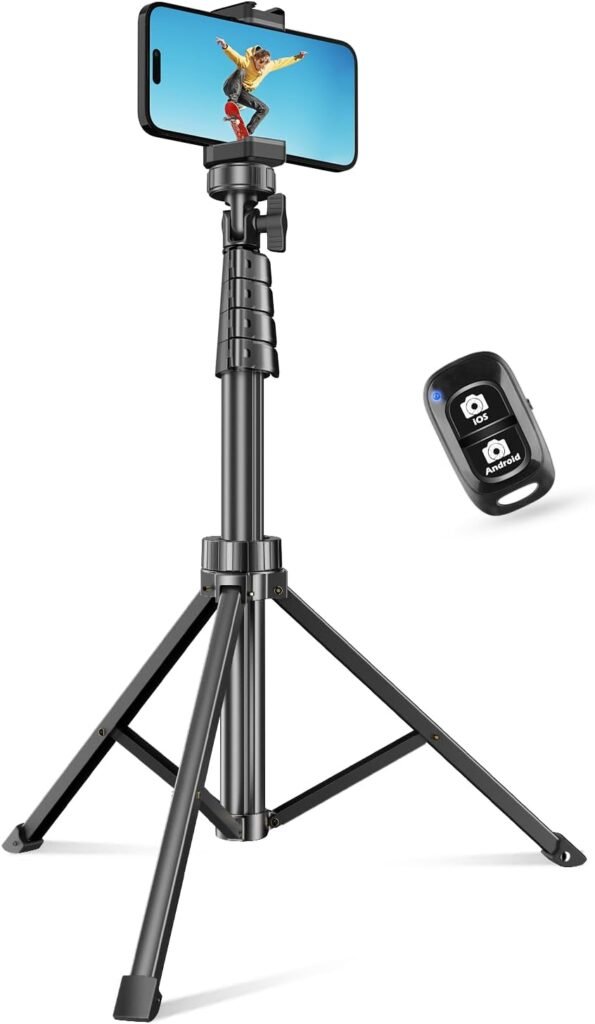
A simple phone tripod makes the process much easier because the camera needs to stay in the same position from swing to swing.
Sponsored Links
My basic recording setup:
Smartphone
Adjustable tripod
Face-on video
Down-the-line video
Several normal golf shots
For the best results, I recommend positioning the phone vertically in portrait mode with the camera approximately 36–48 inches off the ground, around hand height.
Make sure your entire swing—from the clubhead at address through your finish—stays inside the frame.
Senior Golfer Tip: Don’t try to make a “perfect swing” for the camera. Hit normal golf shots. AI becomes more useful when it can identify something that happens repeatedly rather than judging one unusually good—or bad—swing.
Want to Try It Yourself?
You don’t need an expensive camera setup. A full-size adjustable smartphone tripod is inexpensive and makes filming face-on and down-the-line swings much easier.
How to Upload Your Golf Swing to AI
You don’t need any special computer skills. If you can attach a photo to an email or text message, you can upload your golf swing for an AI review.
Using ChatGPT as an example:
Record your swing with your smartphone. Take several swings from both face-on and down-the-line. Keep the phone vertical and make sure your entire body and golf club stay in the picture.
Open ChatGPT on your phone, tablet, or computer. Start a new conversation and tap the + / attachment button next to the message box.
Choose your swing video. On a phone, select the video from your photo library. On a computer, select the video file you’ve transferred or saved to your computer.
Wait for the video to finish uploading. Longer videos can take more time, so I recommend keeping your swing recordings relatively short. You don’t need several minutes of practice swings.
Tell AI exactly what you want analyzed. For example:
“I’m a senior golfer. Please analyze these face-on and down-the-line swing videos. Look at my setup, posture, backswing, transition, impact and finish. Identify the two most important things I should work on. Don’t give me too many swing thoughts at once.”
Then follow up with questions. That’s where AI becomes much more useful. You can ask things such as:
“Do I lose my posture during the downswing?” “Compare my good swings with my poor swings.” “Am I standing up through impact?” “What is the ONE thing you would have me practice first?”
Senior Golfer Tip: Don’t ask AI to completely rebuild your swing. Upload several normal swings and ask it to identify repeating patterns. Work on one change at a time.
Affiliate disclosure: Senior-Golfers.com may earn a small commission from qualifying purchases at no additional cost to you.
Have a Golf Simulator or Launch Monitor? Tell AI
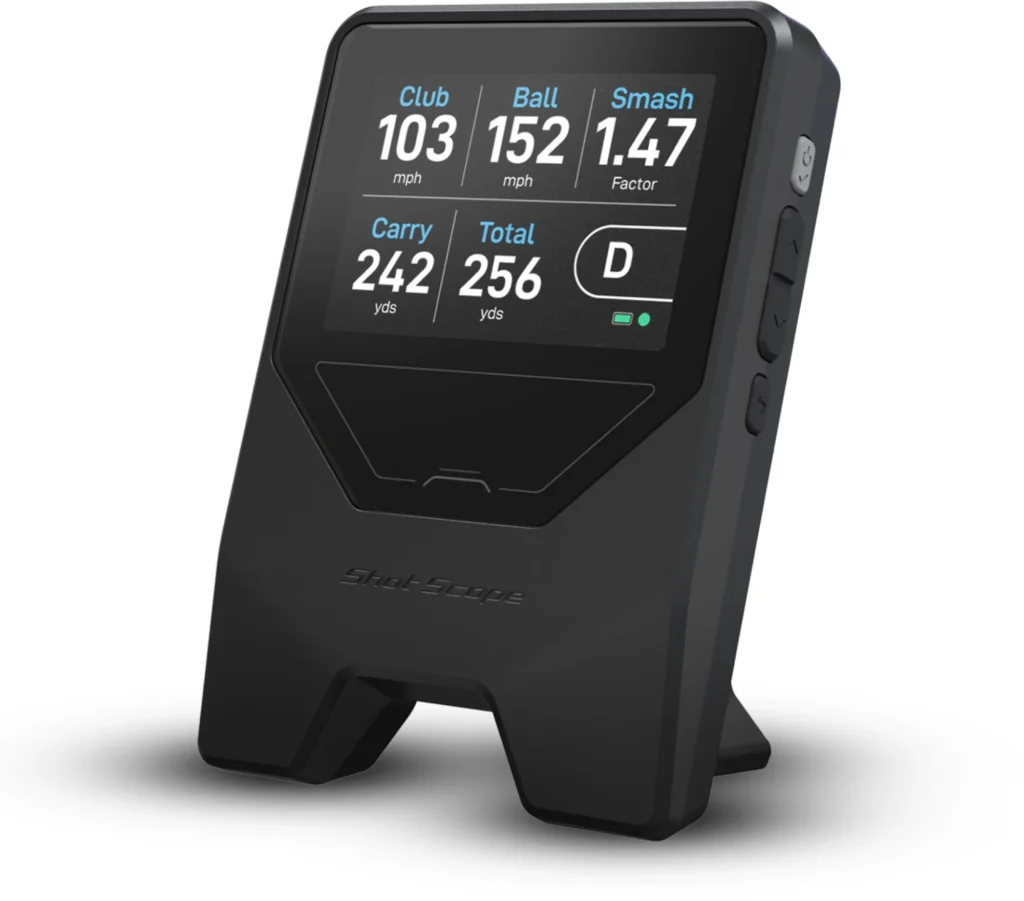
If you have access to a golf simulator or launch monitor, let AI know. You don’t necessarily need to provide all those numbers at the beginning. Instead, tell AI what information is available and let it ask for the numbers that would be most useful.
For example, I told AI: “I also have access to a golf simulator that provides club and ball data. If those numbers would help with your analysis, tell me exactly which ones you want.”
Sponsored Links
Depending on your simulator, AI might ask for clubhead speed, ball speed, launch angle, spin rate, carry distance, club path, face angle or smash factor.
That’s where this gets particularly interesting. The video shows AI what my swing is doing. The simulator numbers show AI what that swing is producing.
For senior golfers who don’t have access to a simulator, don’t worry. You can still try AI swing analysis using just your smartphone videos.
Senior Golfer Tip: Don’t overwhelm AI—or yourself—with 20 different numbers. Start with the videos and let AI tell you which measurements would help answer a specific question.
I found it much more useful to ask specific questions.
For example:
“Do you see my posture changing during the swing?”
“Am I staying tall enough through impact?”
“Compare my setup to my position just before impact.”
“Do you see anything happening repeatedly that could affect solid contact?”
That changes AI from something trying to give you a generic golf lesson into something closer to a second set of eyes.
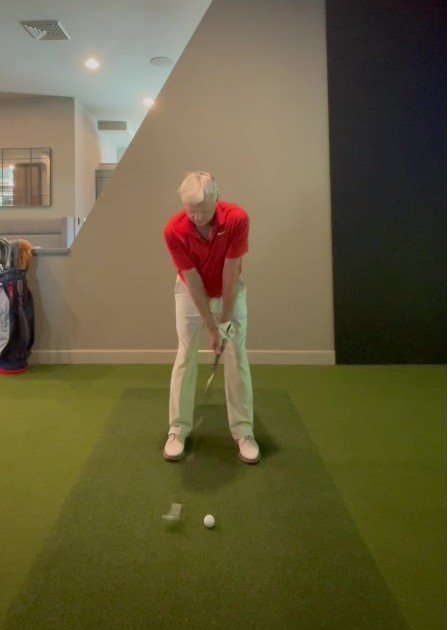
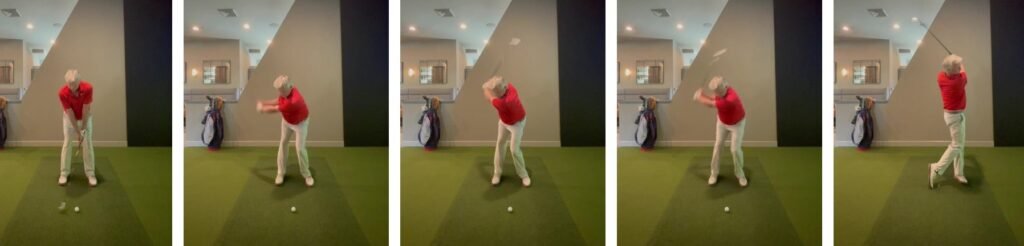
MY ADDRESS POSITION: AI can freeze the swing at address and compare posture, balance, ball position and body angles with later positions in the swing.
One of the first things worth looking at is posture.
Senior golfers frequently hear that they need more knee bend or more athletic posture. But for some of us, getting excessively bent over can make turning more difficult.
I’ve had success in the past when I’ve felt like I stand taller, keep my arms soft and make a more upright turn.
Seeing myself on video reinforces just how important setup is before the club even begins moving.
AI Can Look at Positions We Never See During the Swing
One of the biggest advantages of video isn’t really AI at all.
It’s the ability to stop time.
During an actual golf swing, everything happens in roughly a second. There’s no way to know exactly what your shoulders, hips, arms and club are doing at every point.
Video lets us see it.
AI adds another layer by allowing us to ask questions about those positions.
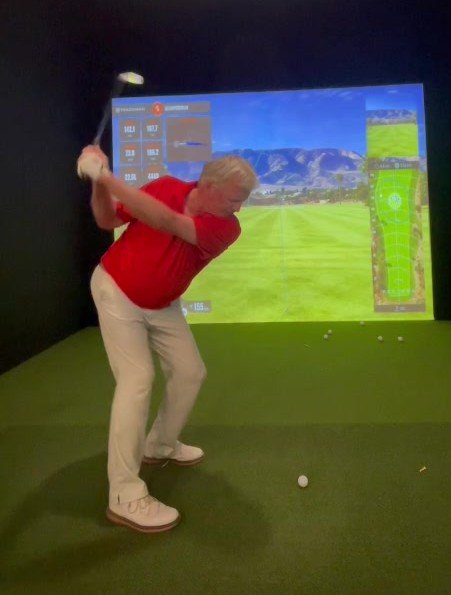
BACKSWING FRAME: Individual video frames allow AI to examine turn, posture, arm position and how the body is moving away from the ball.
Looking at my backswing brought back something an instructor taught me years ago.
My best swings have generally come when I stand fairly tall, allow my body to turn and don’t create unnecessary tension in my arms.
I’ve also used the feeling of the butt end of the club pointing more toward the ground as I turn back.
That’s an important distinction about using AI:
AI doesn’t know what a swing feels like to you.
A golf professional standing next to you might immediately say:
“That’s the movement I want. Now remember that feeling.”
AI can see the position.
You still have to connect the picture with the feeling.
That may be one of the biggest limitations of AI golf instruction.
Where Things Get Really Interesting: The Downswing
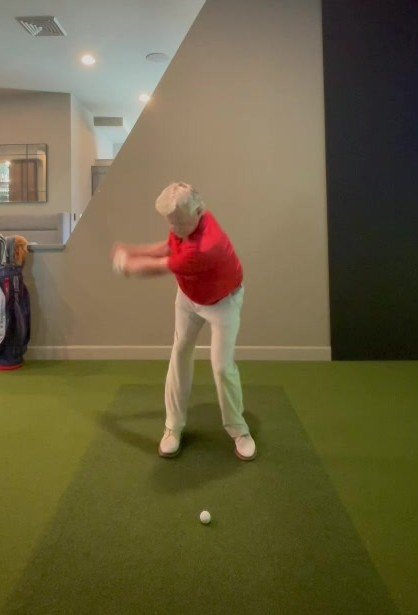
TRANSITION / EARLY DOWNSWING: The downswing is where frame-by-frame analysis can reveal changes in posture, body rotation and club position that are nearly impossible to feel in real time.
For me, this may be where AI has the most potential.
Rather than obsessing over whether the club is two degrees too steep or whether my elbow looks exactly like a tour player’s elbow, I’m much more interested in larger movement patterns.
Am I maintaining posture?
Am I moving toward the ball?
Am I rotating through?
Are my arms staying reasonably relaxed?
Is something happening repeatedly before poor contact?
Those are questions that matter.
And for senior golfers, I think that’s where AI instruction should concentrate.
We don’t need to build a tour player’s swing at 65, 70 or 75.
We need a swing that produces solid contact, reasonable distance, predictable direction—and doesn’t require us to be 25 years old to execute it.
At Senior-Golfers.com, we focus specifically on how the golf swing, equipment, and practice change after 60. If you’re looking for senior-friendly golf advice, start here.
One Frame Can Explain a Bad Shot
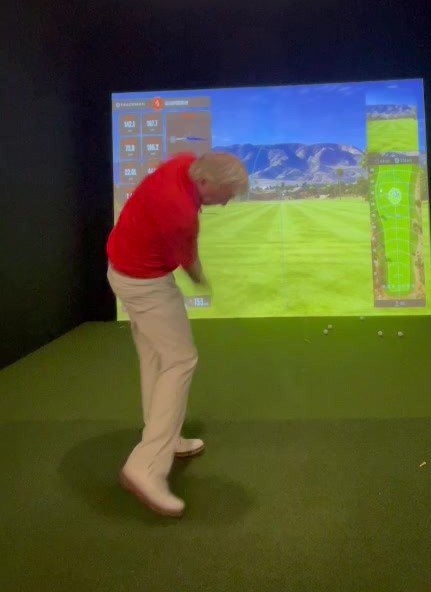
APPROACHING IMPACT: AI can compare several swings around impact and look for patterns associated with your best and worst strikes.
This is another area I want to explore much further in this series.
Imagine recording 10 seven-irons.
Seven are solid.
Three are thin, heavy or pulled.
Instead of analyzing only one swing, we can ask:
“What is different in the three poor swings?”
That’s potentially much more valuable than asking AI to tell us what an “ideal” golf swing should look like.
We’re no longer comparing ourselves with Rory McIlroy.
We’re comparing our good swing with our bad swing.
For senior golfers, I think that may eventually become one of AI’s greatest strengths.
And Don’t Forget the Finish
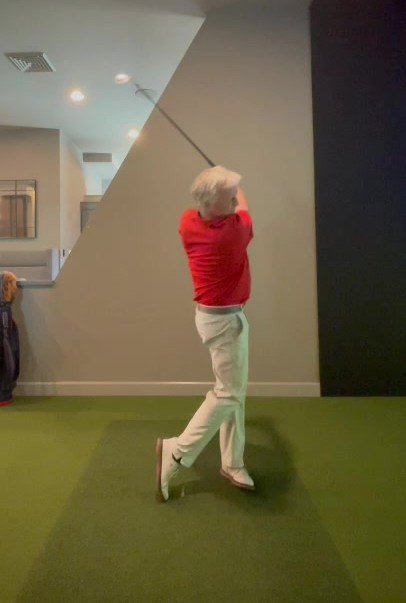
FINISH POSITION: A balanced finish can tell us a surprising amount about what happened earlier in the swing.
I’ve always liked the feeling of turning through the shot and finishing tall.
The finish doesn’t cause a good swing, of course.
But if I’m stumbling backward, falling toward the ball or unable to hold my finish, something probably went wrong earlier.
This is where video becomes a very simple self-check.
Hit the shot.
Finish.
Hold the pose for two seconds.
If you’re balanced and facing the target comfortably, that’s usually a pretty good sign.
What AI Got Right
After experimenting with this, I see several areas where AI golf instruction has genuine potential.
It notices things you may overlook.
Most golfers know what their swing is supposed to feel like.
Unfortunately, feel and reality aren’t always the same thing.
Video gives AI something objective to examine.
It never gets tired of your questions.
Try asking your golf professional 37 follow-up questions about your takeaway.
You may eventually need a new golf professional.
AI doesn’t care.
Ask away.
You can use it between lessons.
This may be the sweet spot.
Have a lesson with your golf professional.
Learn what you’re working on.
Then record yourself practicing and use AI to help determine whether you’re moving in the direction your instructor wanted.
That makes AI a supplement to instruction rather than a replacement for it.
It costs very little to experiment.
For golfers who aren’t ready to spend hundreds or thousands of dollars on lessons and technology, a smartphone and tripod provide a surprisingly interesting starting point.
What AI Still Can’t Do
This part is just as important.
AI can look at pictures.
A good golf instructor looks at the golfer.
A professional can move your hands into position.
They can change your grip.
They can watch the ball flight.
They can hear the strike.
They can see whether you’re uncomfortable.
Most importantly, they can give you a completely different thought when the technically correct explanation simply isn’t working.
AI also has another danger:
It can give you too much information.
Senior golfers do not need nine swing thoughts standing over the ball.
I certainly don’t.
If an AI analysis produces 12 things to change, ignore 11 of them.
Find the one movement that appears most important.
Work on it.
Then record again.
My Rules for Using AI as a Golf Instructor
After experimenting with this, these are the rules I’d give another senior golfer.
Record several swings—not just one.
Use both face-on and down-the-line video.
Ask specific questions instead of “fix my swing.”
Look for repeating patterns.
Compare good shots with bad shots.
Make only one significant change at a time.
And most importantly:
Don’t chase a picture-perfect swing.
At our age, the goal isn’t to look like a tour professional.
The goal is to play better golf.
So, Can AI Really Teach a Senior Golfer?
My answer so far is:
Yes—but probably not in the way people think.
AI isn’t standing on the practice tee replacing your PGA professional.
And I wouldn’t want it to.
Instead, I see it becoming something different.
A camera that talks back.
A second set of eyes.
A way to compare swings.
A practice assistant that’s available whenever you want it.
And perhaps most importantly, a way for senior golfers to better understand their own swing instead of constantly trying to copy somebody else’s.
That’s worth exploring.
So that’s exactly what we’re going to do.
The AI Golf Lab Is Just Getting Started
This article is the beginning of a new Senior-Golfers.com experiment.
I’m going to continue giving AI real golf problems and see what happens.
Coming up, we’ll test questions such as:
Can AI identify why I’m losing solid contact?
Can AI compare my good swings with my bad ones?
Can AI help improve driver consistency?
Can AI help with putting?
Can AI create a useful practice plan for a golfer over 60?
And perhaps the most interesting test:
Can following AI’s recommendations actually lower my scores?
I’ll show you the swings, the advice, what worked—and what didn’t.
No hype.
Just a senior golfer, a smartphone, artificial intelligence and a golf ball.
This should be interesting.
Senior Golfer’s Takeaway
AI probably won’t replace your golf instructor. But it may become one of the most useful practice tools we’ve ever carried in our pocket.
And all you need to start is your phone.
Frequently Asked Questions About AI Golf Instruction
Can AI really analyze my golf swing?
Yes. AI can review golf swing videos and individual frames to identify visible patterns in your setup, posture, backswing, transition, impact and finish. It can also compare multiple swings to look for differences between your better and poorer shots. Think of it as another set of eyes rather than a replacement for a qualified golf instructor.
How many golf swings should I upload to AI?
I recommend recording about 8–10 normal swings with the club you’re analyzing. Don’t send AI only your best swing. Including good and poor shots gives it an opportunity to look for repeating differences and patterns.
What should I ask AI about my golf swing?
Avoid simply asking, “What’s wrong with my swing?” Be specific. Ask questions such as: Am I maintaining my posture? What changes between my solid and poor shots? Do you see a movement that happens repeatedly? What is the single most important thing I should work on first?
The last question is especially important. You don’t want ten new swing thoughts running through your head on the golf course.
Can AI use golf simulator or launch monitor data too?
Yes. If you have access to a simulator or launch monitor, tell AI. Depending on your equipment, you may have information such as clubhead speed, ball speed, launch angle, spin rate, carry distance, club path, face angle and smash factor.
Rather than uploading every number, I recommend telling AI what data you have available and asking which numbers it needs to answer your particular swing question.
Can AI compare my good swings with my bad swings?
This may be one of its most interesting uses. Instead of comparing your swing with a PGA Tour professional, give AI several of your own good and poor swings and ask it to identify what’s different.
For senior golfers, that could be much more useful than trying to build a technically perfect swing.
Can AI replace a PGA golf instructor?
I don’t think it should. A good instructor can see ball flight, hear impact, physically adjust your setup, understand how a movement feels to you and immediately change the lesson when something isn’t working.
AI may be most valuable as a practice companion between lessons—helping you review video, identify patterns and determine whether you’re actually making the change you and your instructor are working on.
Is AI golf instruction good for golfers over 60?
That’s exactly what I’m testing. Senior golfers don’t necessarily need a tour player’s swing. We need a swing that provides solid contact, reasonable distance, consistency and less stress on the body.
AI becomes more useful when we ask it to help improve the swing we have, rather than trying to make us swing like we’re 25 again.
What’s the biggest mistake when using AI for golf instruction?
Trying to change too many things at once.
If AI identifies six possible problems, don’t head to the range with six swing thoughts. Ask:
“Of everything you found, what’s the ONE thing you would have me work on first?”
Work on that, record yourself again, and see what changes.
🔔Want more senior-specific golf tips? Join the Senior-Golfers.com Newsletter and get practical advice, equipment insights, and bonus guides delivered monthly — no spam.
Cold weather golf after 60 can be frustrating. The temperature drops, the fairways get softer, and suddenly the club that easily reached the middle of the green in July starts coming up short.If your 7-iron suddenly starts coming up short in October, don’t assume you’ve lost your swing. It happens to me, too. 9 minutes…
How Tee Height and Ball Position Can Help Senior Golfers Launch It Higher, Find the Center of the Face, and Get More From Their Driver One of the easiest ways for senior golfers to gain more from the driver is to check driver tee height for senior golfers and ball position before making another swing…
Sometimes the best golf memories aren’t made on the golf course—they’re made afterward. 2-night golf getaways for senior golfers are one of the best ways to enjoy great golf, reconnect with friends, and recharge without spending a week away from home. Sometimes, the best golf memories aren’t made by shooting your lowest score—they’re made around…
Allen is a seasoned golfer who has been playing the sport for over 50 years, mostly in the Northwest, and now calls Idaho home. Throughout his life, he has actively participated in various sports, including snowboarding and windsurfing in the Columbia Gorge. Allen passionately believes that “Golf is Life” and is dedicated to helping fellow senior golfers make the most of their senior years









Comments